Many mobile phone users ask us what’s the difference between GSM and CDMA wireless cellular service and, if given the choice, which technology should they choose for their cell phone or cellular terminal? This article provides a simple explanation of the two technologies and discusses the advantages and disadvantages of each.
GSM vs. CDMA
GSM and CDMA are two competing cellular network technologies. GSM – which stands for “Global System for Mobile Communications” – was introduced in 1987 as an international standard for mobile phones. It is now the most popular standard in the world with over five billion users worldwide in 212 countries. GSM is used exclusively in Europe and other parts of the world. CDMA – which stands for “Code Division Multiple
Access” — was originally a proprietary standard developed by Qualcomm but evolved into the more dominant network standard in North America and parts of Asia. There are now over 575 million CDMA users in the world.
Both technologies have introduced 3G (third generation) standards which provide fast mobile broadband access to smart phones and computer modems, and its successor 4G is under development.
Incompatible Technologies, but Both Used in the U.S.
Both GSM and CDMA technologies transmit voice and data, but in different ways, which makes them incompatible.
Read the rest of this entry »
Do you need a temperature alarm that will notify you when temperatures get too warm or too cold but there’s no landline phone connection to send out the alert? There are a few stand-alone “cellular temperature alarms” on the market today, but it’s actually very easy to assemble a more economical system yourself by combining two off-the-shelf devices – a cellular terminal plus a freeze alarm – to create a unit that monitors both high and low temperatures and works anywhere that you have electricity and cell phone service.
Typical places where you might need a cellular temperature alarm include vacation homes, RVs and remote buildings like greenhouses, garages and barns. For instance, pet owners traveling by RV in the summertime worry that their dogs will suffer from heat stroke if the A/C were to quit. And absentee vacation homeowners worry about frozen pipes and furnace failure in the winter, as well as air conditioning systems breaking down in the summertime causing mold and mildew growth. In all of these scenarios, a cellular temperature alarm will alert owners by phone if there is a heat or freeze emergency. Read the rest of this entry »
“Snowbirds” preparing to head north to avoid Florida’s brutal summer heat will want to safeguard their winter residences before taking off. The state’s near-tropical summer climate makes humidity control, flood protection and mold and mildew prevention three areas of concern for every snowbird. If you are a part-time Floridian, here are some important home closing procedures to help you protect your property.
Humidity
Summer in Florida means oppressive heat and very high levels of humidity. Nearly everything in your Florida home is vulnerable to the effects of high humidity, which causes: rusting appliances; mold and mildew growth; corrosion to electronic equipment and computers; deterioration to wood, cotton and leather; warping of woodwork; musty odors; insect infestation; and flaking paint and peeling wallpaper. Read the rest of this entry »
Renting out your vacation home when you aren’t using it yourself can be a great way to offset expenses such as taxes, mortgage payments, and maintenance fees. Sound appealing? Well, before you assume the role of landlord and rent out your vacation home, you should understand that it can be very time consuming endeavor and not without risk. This article provides some advice on how to get started, find tenants, and handle repairs and emergencies. Also discussed are ways to increase profits through a do-it-yourself approach and energy savings strategies. Read the rest of this entry »
Like many vacation homeowners, my husband and I employ a local caretaker to mow the lawn, plow the snow, and pick up the trash. Our caretakers — a reliable, honest neighborhood couple — also stop by our house every Monday and do a walk-through to ensure that everything is intact and in working order. If they see any problems, they notify us immediately. One Monday morning last January, they called to tell us that our furnace had failed. The indoor temperature had dropped to below 32° F and they were concerned about freezing pipes. Ugh! Read the rest of this entry »
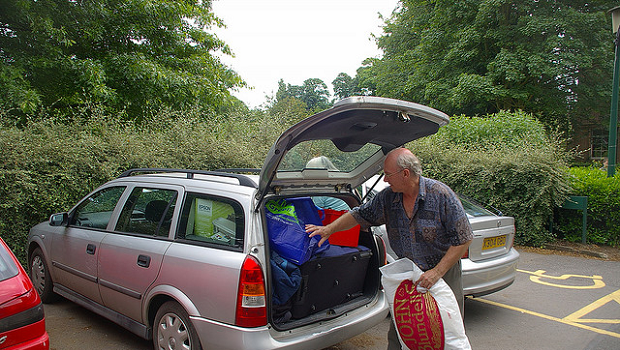
Every Friday afternoon from December through late March, the White family loads up their SUV with kids, suitcases, coolers and the dog to drive three hours to their ski house. In the four years since they bought their mountainside home, they have pretty much mastered their weekend getaway routine. Their goal is to hit the road by 4:00 p.m. and arrive at the cabin no later than 7:30 p.m., weather permitting.
“By mid-day on Friday I have the car gassed up, everyone’s clothes packed, and food loaded into the cooler,” says Ellen White, a 43-year-old suburban mother of three. “When the kids get off the school bus they have half an hour to grab a snack and organize their backpacks with homework, iPods and DVDs. And the minute my husband Jack gets home from work, we are on our way! We all love skiing and waking up in our own place on Saturday mornings so we can hit the slopes early when the lifts open.”
“Stage Two” of the weekend getaway routine unfolds immediately upon arrival at the cabin each Friday night. Everyone in the White family works quickly to unpack the car and start warming up the house. The boys help Dad bring in firewood from the garage as Mom cranks up the thermostat and starts the wood stove. Although the cabin has an efficient hot water baseboard heating system and the thermostat is set to 50◦F when the house is vacant, it still takes about two hours for the home to reach a comfortable temperature. While the house is warming, the Whites pile back into the SUV and head downtown to grab a bite to eat. Read the rest of this entry »
Whether you own a beach home, ski condo or lakeside cottage, your vacation home is an important investment that you will want to safeguard while you are not there, especially during the long winter months when temperatures dip below freezing and ice and wind storms can knock out electrical power. Here are a number of easy steps you can take to protect your home from the elements and give you peace-of-mind. Many of these strategies to winterize your vacation home are inexpensive, do-it-yourself projects that you can do in a single weekend! Read the rest of this entry »

The BAYweb Internet Thermostat
Our internet thermostats get a lot of great feedback from our customers. Here are two comments we received in the past few days:
Bill in Idaho says:
“I just wanted to send you a quick note to say what a great product you have! I purchased a Bayweb thermostat from you a couple of weeks ago to use at my cabin and I’m so impressed! I just wanted to pre heat my place before getting there and when I get there it is so nice and toasty. Winter is just starting here in Idaho and I’m already appreciating what it does for me. It’s paid for itself already as far as I’m concerned. Thanks again for a great product. -Bill”
Thanks for sharing that with us, Bill!
And “edesir” on YouTube
commented on our BayWeb Internet Thermostat Installation Video, saying that the device paid for itself in 2 months!
We appreciate all customer feedback! If you’ve purchased a product from us that worked out well for you, let us know in the comments!
So you’ve got a vacation home without a landline and are concerned that if your heat goes out, you could be facing a disaster. Although there isn’t a standalone product on the market that can function as a cellular freeze alarm, there is a simple way to combine two products to achieve the same objective.
Item 1 of 2: Cellular Terminal
A cellular terminal is a device that generates a dial tone via cellular. To choose the best one for your situation, consider two things: which carriers work at the location, and which carrier you currently use. If the carrier you use for your primary cell phone works in your vacation home, consider adding a second line to your existing plan for a cellular terminal compatible with that carrier. Another option for any of the cellular terminals is to obtain a prepaid plan. These can be very economical, but pay attention to expiration dates when purchasing minutes. Review our Cellular Terminal Comparison Chart to help you select a cellular terminal.
Item 2 of 2: Freeze Alarm
Once you’ve got a cellular dial tone, all you need is a freeze alarm. Our Freeze Alarms Comparison Chart will help you select the perfect model for your vacation home.
Mission Accomplished!
Although there may not be a single “cellular freeze alarm“, it is quite simple to monitor your vacation home for low temperatures over cellular. As always, if you need any assistance, don’t hesitate to contact us at support@diycontrols.com.
Tell Us About It!
If you’ve implemented a cellular freeze alarm solution in your home, tell us about it in the comments below!
Update: We’ve put together some cellular freeze alarm packages containing one of our most popular cellular terminals and some of our most user friendly freeze alarms, or you can choose any one of our freeze alarms and combine it with any cellular terminal to create your own cellular freeze alarm.

It’s that time! Sweltering heat and awful humidity make you want to crank up that AC! Unfortunately, your electric bill will get cranked up right along with it. Programmable thermostats come in handy to help save on air conditioning costs, if your life operates like clockwork. But many people don’t have the luxury of a perfectly predictable schedule. Perhaps you have an event to go to one evening and you won’t be home until late…do you want your programmable thermostat cooling the empty house all evening for you?
That dilemma is solved with the BayWeb Internet Thermostat. The BayWeb thermostat offers full control of your thermostat from any internet-connected computer or web-enabled mobile phone. You can set a schedule if you’d like, but you can also override that schedule on-the-fly from anywhere at anytime.
The BayWeb also offers many other nifty features, like the ability to use motion sensors for occupancy-based heating or home security alerts. It even tracks your HVAC system’s energy usage.
Stop paying to cool an empty house! The BayWeb thermostat, starting at $199, will more than pay for itself. Check it out at DIYControls.com.